Install
One command, fifteen checks.
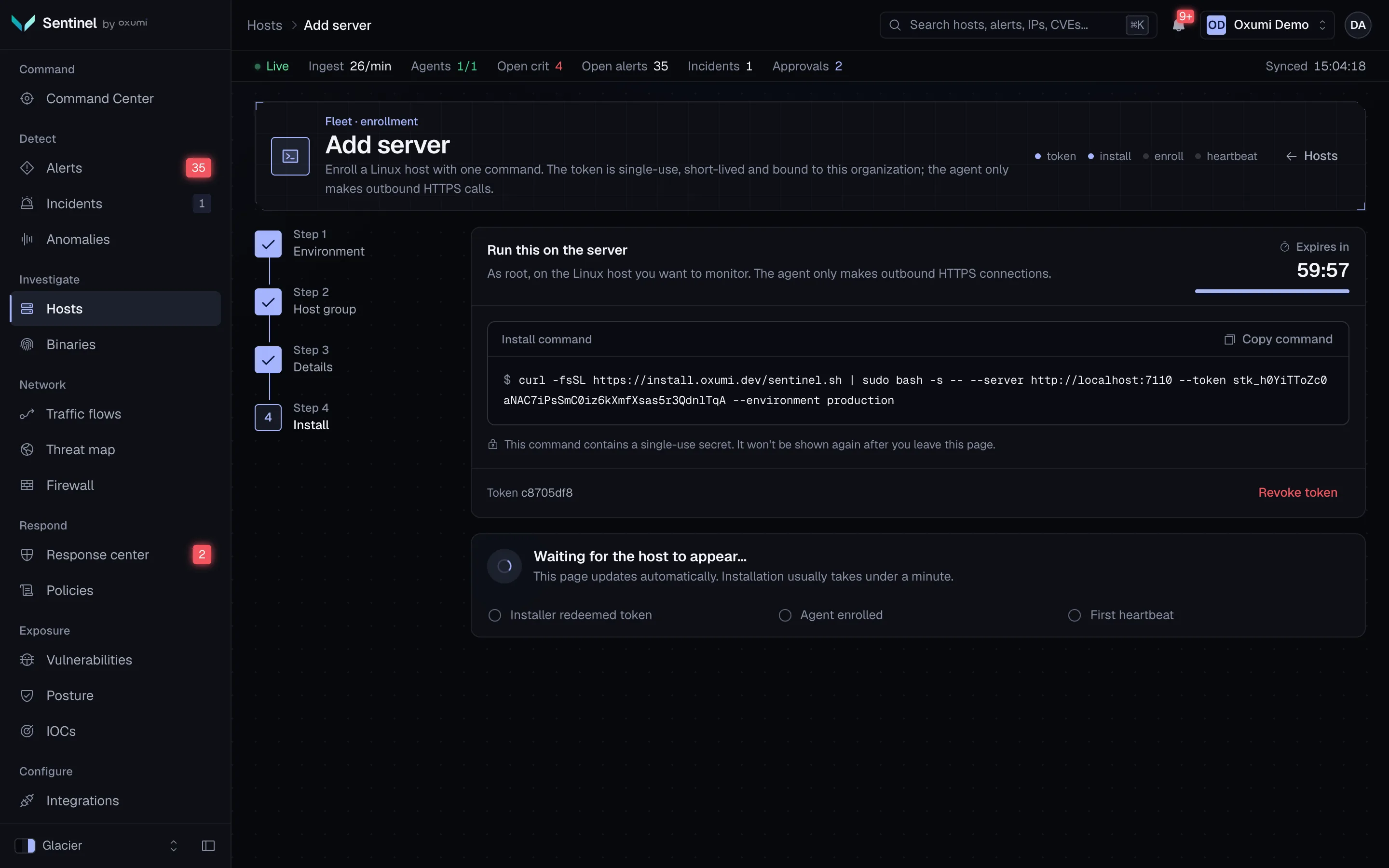
The installer checks the host and the control plane before it changes anything, pins and verifies the agent image, enrolls with a one-time token and confirms the agent is healthy.
Enroll a serverPlanned public URL
curl -fsSL https://install.oxumi.dev/sentinel.sh \ | sudo bash -s -- \ --server https://sentinel.example.com \ --token-file /root/sentinel.tokenUntil the hosted URL is live, run installer/sentinel.sh from the repository with the same flags.
Before you start
What you need.
- Ubuntu 22.04 or 24.04 on amd64 or arm64 (Debian 12 is a preview)
- Kernel 5.4 or newer and a running Docker Engine (Podman is a preview)
- A Sentinel control plane reachable over https from the host
- A one-time enrollment token from Hosts → Add server in the dashboard
What it does
Fifteen stages, in order.
Any failing check stops the run before anything changes. --dry-run runs them all and changes nothing.
sentinel.sh · example output
- 01root privileges…
- 02distribution…
- 03architecture…
- 04kernel…
- 05container runtime…
- 06daemon reachable…
- 07control plane…
- 08enrollment token…
- 09image…
- 10config…
- 11state dirs…
- 12enroll…
- 13start…
- 14health…
- 15summary…
installing
- 01Check root privileges
- 02Detect the Linux distribution
- 03Detect the CPU architecture
- 04Check the kernel: 5.4+, cgroup v2, BTF, free disk space
- 05Detect the container runtime and compose plugin
- 06Check that the daemon is reachable
- 07Validate the control-plane URL (https, then GET /api/v1/health)
- 08Validate the enrollment token's format
- 09Pull the image, pin its digest, verify its signature
- 10Write config.yaml and compose.yaml (0600)
- 11Create the state directories (0700) and install sentinelctl
- 12Enroll in a one-shot hardened container
- 13Start the agent with restart policy unless-stopped
- 14Verify health: running and logging within 30 s
- 15Print the summary: host and agent ids, never the key
Options
The flags you'll actually use.
--server URL | Control-plane URL. https only; http needs --insecure-dev and warns loudly. |
--token-file PATH | Read the one-time token from a file (preferred). Or SENTINEL_TOKEN, or --token -. |
--name, --group, --environment | Host metadata recorded in config.yaml. |
--version VERSION | Agent image tag, resolved to a digest. |
--runtime docker|podman | Container runtime (Podman is a preview). |
--dry-run | Run every check and change nothing. |
--status | Show agent status (delegates to sentinelctl). |
--uninstall [--purge|--keep-data] | Remove the agent container; config and evidence are kept unless you purge. |
After install
Manage it with sentinelctl.
Installed alongside the agent for day-two operations on the host.
On the host
sudo sentinelctl status # agent and container statesudo sentinelctl health # health checkssudo sentinelctl logs # agent logssudo sentinelctl diagnostics # a support bundle, secrets excludedsudo sentinelctl update # pull and verify a new imagesudo sentinelctl restartsudo sentinelctl uninstall # config and evidence kept unless you purgePut a sentinel on every Linux server.
One command to install, one dashboard to monitor, one workspace to understand what happened across your fleet.